
How to Access Softaculous in cPanel?
1. Log into your cPanel account.
2. In the Software section, click on the Softaculous Apps Installer Icon.

3. cPanel will open a Softaculous Interface.
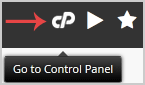
If you want to go back to cPanel, click on the cPanel icon.
Call now to get more detailed information about our products and services.
(214)-779-5144
 Copyright © 2025 All Rights Reserved
admin@safebethosting.com
Waxahachie, Texas 75165, USA
