
How to change the Challenge Passage time of the Cloudflare domain in cPanel?
Cloudflare protected website displays captcha to visitors for preventing bad bots and malicious activity. You can specify the allowed time for visitors who complete the page challenge.
If the visitor's IP reputation is bad, but the visitor is genuine, they can get annoyed by frequently filling captcha.
1. Log into your cPanel account.
2. In the Software section, click the Cloudflare.

3. Click on Sign in Here to access your Cloudflare account.

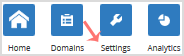
4. Click on the Settings menu.
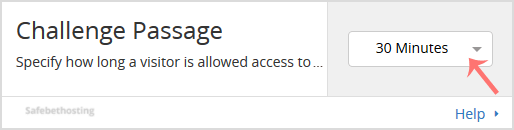
5. In front of Challenge Passage, You can see the Drop-down menu. Choose the appropriate time from the Drop-down menu, and your settings will be automatically saved.
Call now to get more detailed information about our products and services.
(214)-779-5144
 Copyright © 2025 All Rights Reserved
admin@safebethosting.com
Waxahachie, Texas 75165, USA
