
How to change the language of the Plesk Panel?
Follow these steps to change the language of your Plesk Panel.
1. Log in to your Plesk account. (e.g., https://example.com:8443 )
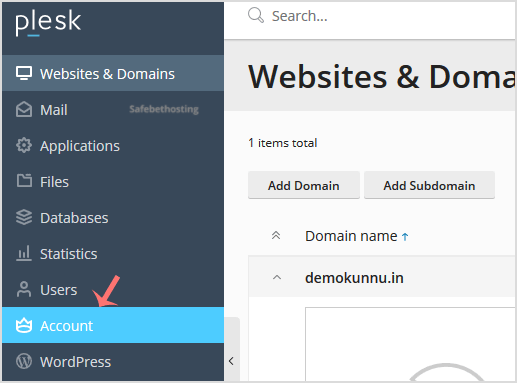
2. In the Sidebar Menu, click on Account.
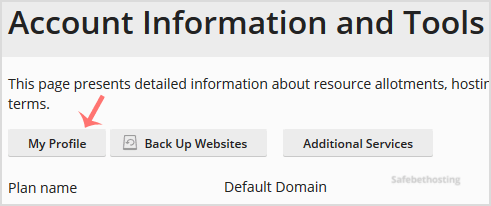
3. Under Account Information and Tools, click on My Profile.
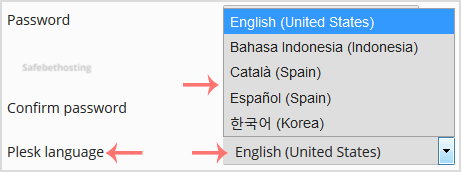
4. Scroll down to the Plesk language and choose yours from the drop-down menu.
5. Then Please scroll down and click Apply.

You will see a success message, signifying that your Plesk panel language has changed.
Call now to get more detailed information about our products and services.
(214)-779-5144
 Copyright © 2025 All Rights Reserved
admin@safebethosting.com
Waxahachie, Texas 75165, USA
