
How to Create an Email Account in cPanel?
To create a new email address, perform the following steps:
1. Log into your cPanel account.
2. In the Email section, click the Email Account Icon. 
3. Click on the + Create button. You can find this on the Right-hand side.
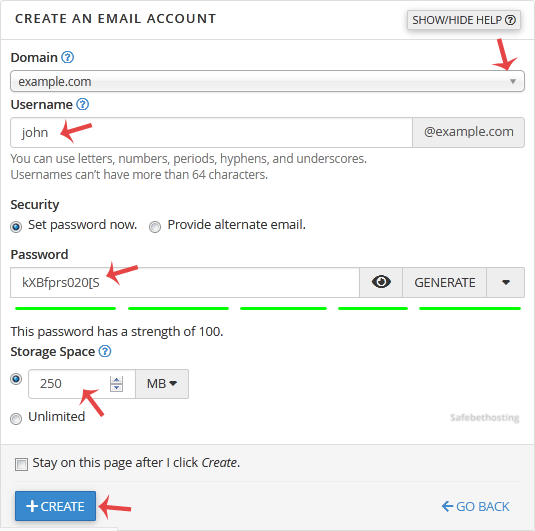
4. Under Create An Email Account, fill up the following details:
Domain: If you have more than one domain, select the appropriate domain from the drop-down list.
Username: Enter username such as your first name.
Security: Select Set password now and enter a password or use a generator to generator one.
Storage Space: Enter the amount of storage space or select the Unlimited option.
Once your email account is created, it will appear under the Account & Domain tab.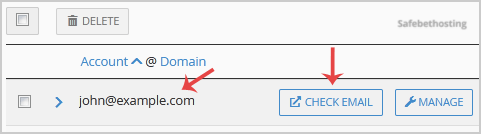
Call now to get more detailed information about our products and services.
(214)-779-5144
 Copyright © 2025 All Rights Reserved
admin@safebethosting.com
Waxahachie, Texas 75165, USA
