
How to Disable the Two-Factor Authentication on Your cPanel Account?
If you want to remove the Two-Factor Authentication from your cPanel account, follow this instruction.
1. Log into your cPanel account.
2. In the Security section, click on the Two-Factor Authentication Icon.
3. Click on the Remove Two-Factor Authentication button.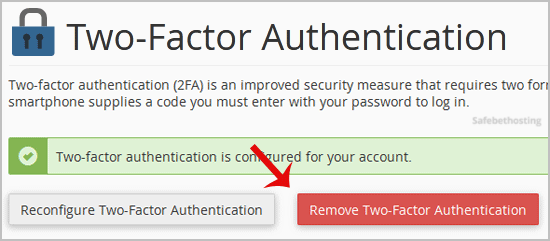
4. For confirmation, click on Remove.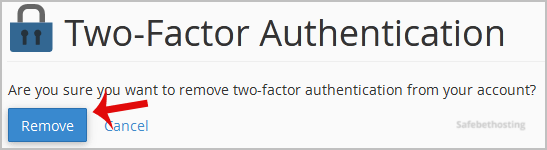
You will see a message like Success: The system removed the two-factor authentication from your account.
Call now to get more detailed information about our products and services.
(214)-779-5144
 Copyright © 2025 All Rights Reserved
admin@safebethosting.com
Waxahachie, Texas 75165, USA
