
Knowledge Base
HomepageKnowledge BaseDirectAdminCloudLinux (DirectAdmin)How to Enable ionCube Loader...How to Enable ionCube Loader using CloudLinux Selector in DirectAdmin?
You can use CloudLinux Selector to enable ionCube Loader in DirectAdmin.
1. Log-in to your DirectAdmin account.
2. In the Extra Features section, click on the Select PHP version icon or type Select PHP in the navigation filter box. The option will appear. Click on it.

3. Click on the Extensions menu.
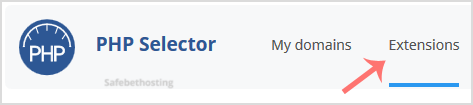
Note: If the Extensions page shows an error related to the native PHP version, change it to a non-native version first.
4. Tick mark the ioncube_loader Once enabled, it will display a success message.
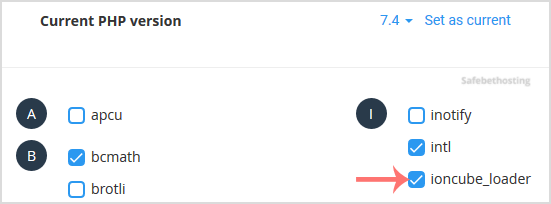
The message will read that the module ionCube Loader is saved.

Call now to get more detailed information about our products and services.
(214)-779-5144
 Copyright © 2025 All Rights Reserved
admin@safebethosting.com
Waxahachie, Texas 75165, USA
