
How to forward email in Mozilla Thunderbird?
You can forward the email to other email accounts using Mozilla Thunderbird.
1. Open Mozilla Thunderbird.

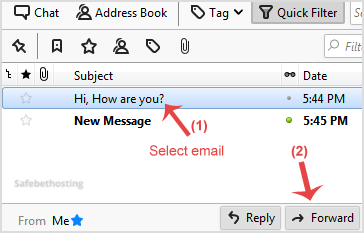
2. Go to Inbox, select the message you want to forward and it will show the Forward option. Then click on it.
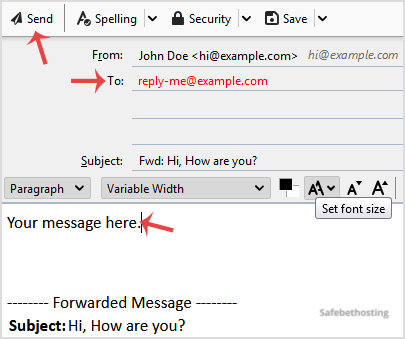
3. Type your message in the message box. Do not make any modifications to the email title and the rest of the text. Then click on Send.
Call now to get more detailed information about our products and services.
(214)-779-5144
 Copyright © 2025 All Rights Reserved
admin@safebethosting.com
Waxahachie, Texas 75165, USA
