
How to import database via phpMyAdmin in cPanel?
1. Log into your cPanel account.
2. In the Databases section, click on the phpMyAdmin icon.
3. In left side-bar, Click on the expand button to expand the database like "example".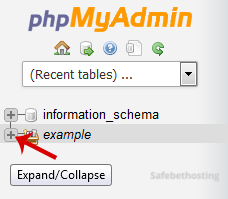
4. Under your cPanel username, you can see a list of all databases. Select an appropriate database in which you want to import SQL.
5. Click on the Import button.
6. Under File to Import click on the Browse button, Select SQL file from your PC.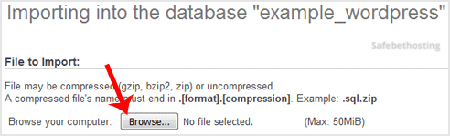
7. Scroll down and then click on the Go button.
If its show a message in green box then it means your SQL is successfully uploaded.
Call now to get more detailed information about our products and services.
(214)-779-5144
 Copyright © 2025 All Rights Reserved
admin@safebethosting.com
Waxahachie, Texas 75165, USA
