
How to remove a Debit or Credit Card from your PayPal account?
Follow this tutorial to remove your Debit or Credit Card from your PayPal account.
1. Log-in to your PayPal account.
2. On top of the menu, click on Wallet.

3. On the left side, Click on the card you wish to remove.
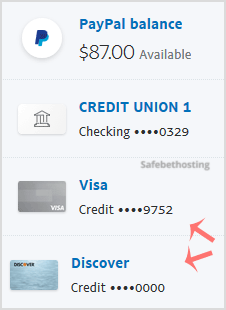
4. Find Remove Card and click on it.
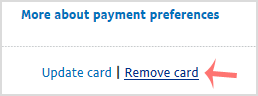
5. It will prompt you for confirmation. Click Yes or Remove This Card.
Once removed, it will display a confirmation message.
Call now to get more detailed information about our products and services.
(214)-779-5144
 Copyright © 2025 All Rights Reserved
admin@safebethosting.com
Waxahachie, Texas 75165, USA
