
How to blacklist an IP Address to deny it access to your website?
You can lock directory with a password by using the cPanel Password Protected Directories option.
1. Log into your cPanel account.
2. In the Security section, click on the IP Blocker Icon.

3. Under Add an IP or Range, you should enter the IP Address you wish to block.
4. Click on the Add button.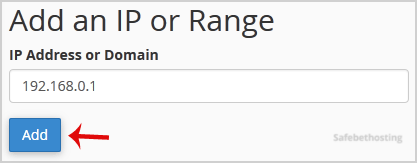
Here is Example:
Single IP Address: 192.168.0.1
Range: 192.168.0.1-192.168.0.40
Implied Range: 192.168.0.1-40
CIDR Format: 192.168.0.1/32
Implies 10.*.*.* -- 192.
Call now to get more detailed information about our products and services.
(214)-779-5144
 Copyright © 2025 All Rights Reserved
admin@safebethosting.com
Waxahachie, Texas 75165, USA
