
How to Change the Language of your cPanel?
cPanel supports a lot of languages, and if you want to change your cPanel language to your native language, you should follow this tutorial.
1. Log into your cPanel account.
2. In the Preferences section, click on Change Language Icon. 
3. From the cPanel Language Configuration Page, choose your language from the dropdown menu and click on the Change button.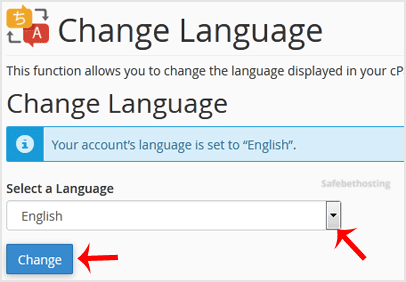
The language in your cPanel has been successfully changed.
Call now to get more detailed information about our products and services.
(214)-779-5144
 Copyright © 2025 All Rights Reserved
admin@safebethosting.com
Waxahachie, Texas 75165, USA
