
How to Change the SolusVM Control Panel Password?
If you can access your SolusVM VPS control panel, you can easily change your SolusVM password. We recommend you to change the password every few months or use a secure password.
1. Login to your SolusVM Control Panel.
2. In the Top Bar Menu, click on My Account.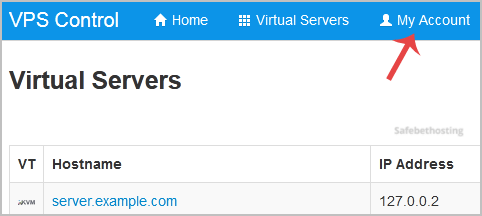
3. Under Change Account Password enter the following details:
Current Password: Your current SolusVM VPS Control panel password.
New Password: Your new password.
Repeat New Password: Again, enter your new password.
4. Click on Update Password.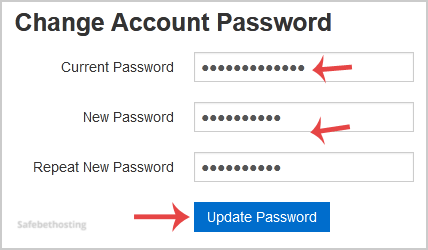
Call now to get more detailed information about our products and services.
(214)-779-5144
 Copyright © 2025 All Rights Reserved
admin@safebethosting.com
Waxahachie, Texas 75165, USA
