
How to Check the RAM of the VPS, the IP, the Disk Capacity, and the Virtualization Details?
You can check your VPS specification like RAM, disk space, virtualization, IP Address, etc., from the SolusVM Control Panel.
1. Login to your SolusVM Control Panel.
2. If you have multiple VPS, select the appropriate one.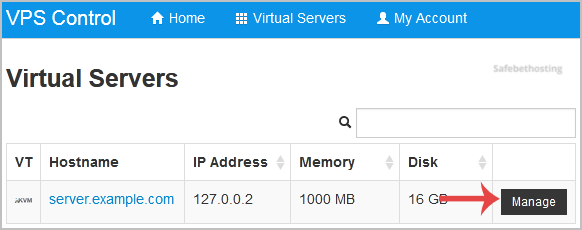
3. Under your VPS hostname, you can see VPS specifications like the IP address of the VPS, the operating system's disk size, the amount of available RAM, the hostname, the Virtualization details such as KVM, Xen, OpenVZ, etc.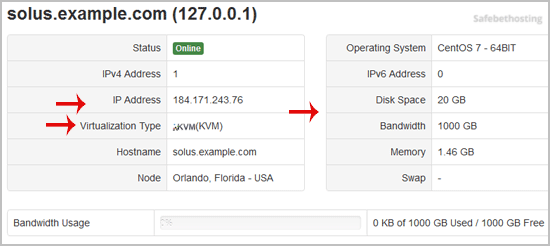
Call now to get more detailed information about our products and services.
(214)-779-5144
 Copyright © 2025 All Rights Reserved
admin@safebethosting.com
Waxahachie, Texas 75165, USA
