
How to Edit Account Level/Global Email Filter in cPanel?
1. Log into your cPanel account.
2. In the Email section, click on the Global Email Filters Icon.

3. Under Current Filters, You can see all of your existing filters, Click on Edit next to the appropriate one. 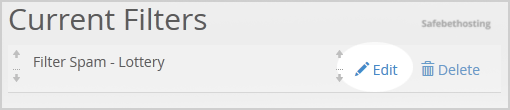
4. Make the desired changes to the filter.
5. Click on the Save Button.
Call now to get more detailed information about our products and services.
(214)-779-5144
 Copyright © 2025 All Rights Reserved
admin@safebethosting.com
Waxahachie, Texas 75165, USA
