
How to reply to email in Mozilla Thunderbird?
You can reply to emails using Mozilla Thunderbird instead of using cPanel Webmail.
1. Open Mozilla Thunderbird.

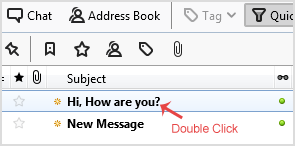
2. Click on the email you wish to open twice.
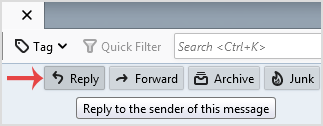
3. In the top-bottom area, click on the Reply button.
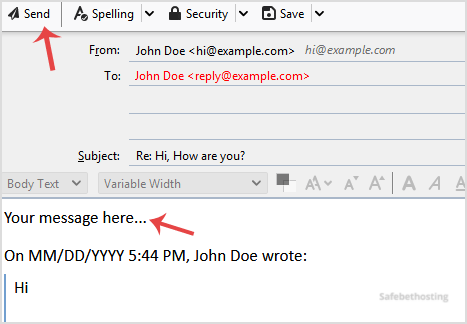
4. Type your message in a message box and click Send.
Call now to get more detailed information about our products and services.
(214)-779-5144
 Copyright © 2025 All Rights Reserved
admin@safebethosting.com
Waxahachie, Texas 75165, USA
